
0.0.1Latest
First public test build. Voice, video, screen share, communities and DMs in a fast native window, with silent auto-update built in.
Download ClutchTick
ClutchTick is the all-in-one communication app for gamers, communities, creators, students and teams.
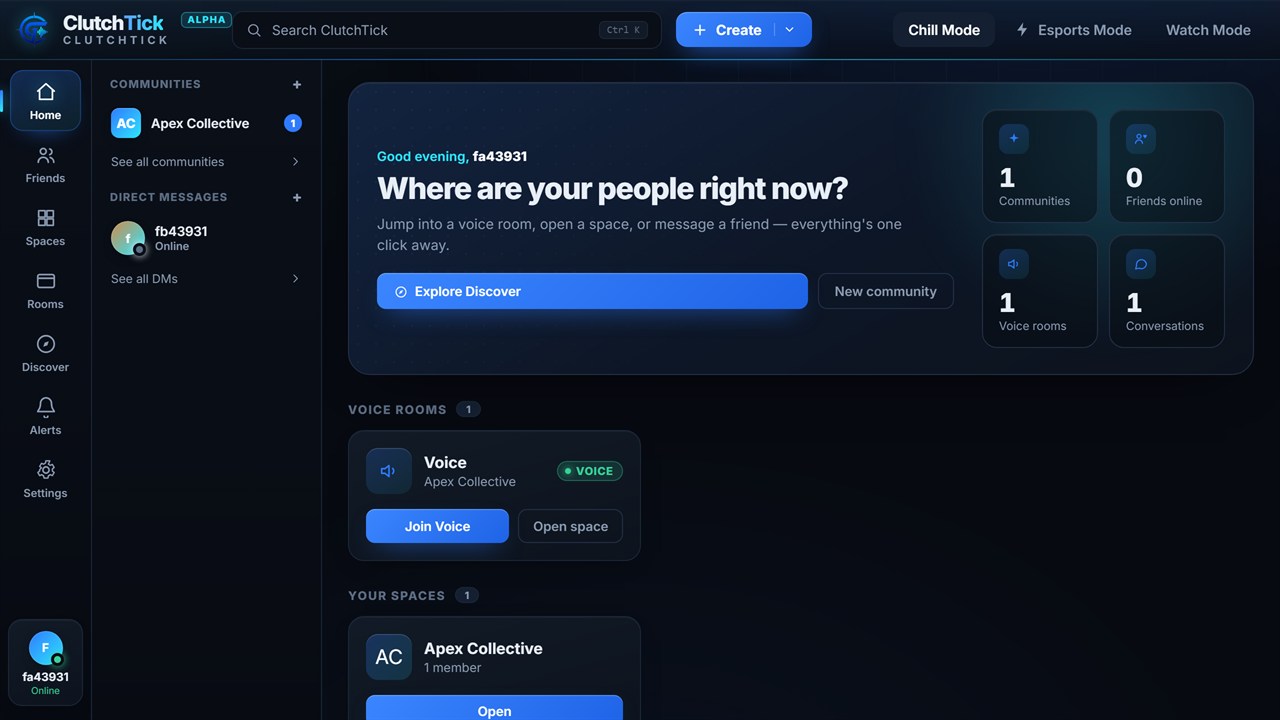
The full ClutchTick experience runs in your browser with nothing to install. The Windows desktop app is ready to download below, with silent auto-update built in. macOS, Linux and mobile apps are on the way.

Every ClutchTick desktop release for Windows. The app updates itself silently in the background, so you're always on the newest build, but you can grab any earlier version here too.
First public test build. Voice, video, screen share, communities and DMs in a fast native window, with silent auto-update built in.
macOS and Linux apps are on the way. The web app at clutchtick.com/app always runs the newest version for everyone, with nothing to download.
Optimized for low CPU usage & high FPS in games.
Up and running in less than a minute, with no install required.
Yes. ClutchTick is free to use: create unlimited rooms, invite your friends and join communities with no paywalls.
It's built to be light. Esports Mode strips animations and embeds and prioritizes voice, so your frames come first during a match.
Absolutely. Sign in from any browser, on desktop, laptop, tablet or phone, and your friends, rooms and communities follow you everywhere. The Windows desktop app is available now, with macOS, Linux and native mobile apps on the way.
Your data stays yours. Communication is encrypted in transit and we never sell your information. Privacy is the default.
It's room-first, not a server-and-channel maze. You create a room for whatever you're doing and everyone's in, with no clutter.
Reach our team any time through our contact page and we're happy to help you get set up.
Our support team is here to help — reach out and we'll get back to you.
Contact Support